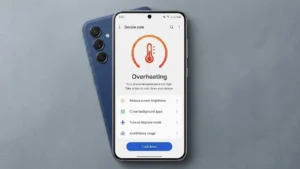
Modern smartphones are more powerful than ever, but that extra power comes with one common problem: overheating.
If your phone becomes hot while charging, watching videos, using social media, or playing games, it’s trying to tell you that something isn’t right. Occasional warmth is normal, but frequent overheating can reduce battery life, affect performance, and even damage internal components.
Fortunately, there are several ways to keep your device cool and avoid long-term problems.
Is It Normal for a Phone to Get Hot?
Yes, smartphones naturally produce heat.
Your device may become warm when:
- Charging the battery
- Downloading large files
- Playing games
- Using GPS navigation
- Streaming videos
- Running multiple apps
However, if your phone feels unusually hot or shows a temperature warning, you should take action immediately.
Stop Using Power-Hungry Apps
Some applications place a heavy load on the processor.
These include:
- Mobile games
- Video editing apps
- Streaming platforms
- Augmented reality apps
If your phone starts heating up, close these apps and give your device a few minutes to cool down.
Move Your Phone Away From Heat
External heat is one of the biggest reasons smartphones overheat.
Avoid leaving your phone:
- Inside a car
- Near a window
- On a dashboard
- In direct sunlight
High temperatures can seriously affect battery health.
Turn Off Features You Don’t Need
Many smartphone features continue working in the background even when you’re not using them.
Try disabling:
- Bluetooth
- GPS
- Mobile hotspot
- NFC
- Background app refresh
Reducing background activity lowers the workload on your device.
Avoid Cheap or Damaged Chargers
Using an incompatible charger can increase the temperature of your phone.
Always use:
- The original charger
- A certified replacement charger
- High-quality charging cables
Cheap accessories may generate more heat and affect battery performance.
Update Your Operating System
Software updates don’t just add new features. They also fix bugs that can cause excessive battery drain and overheating.
Android users:
- Open Settings
- Select System
- Tap Software Update
iPhone users:
- Open Settings
- Select General
- Tap Software Update
Keeping your device updated can improve temperature management.
Lower Your Refresh Rate
Many smartphones now support 90Hz, 120Hz, and even higher refresh rates.
While these displays provide smoother animations, they also consume more power.
If overheating is a regular problem, switching to a lower refresh rate may help.
Check Whether an App Is Causing the Problem
Sometimes, a single app is responsible for overheating.
Check your battery settings to see which applications are consuming the most power.
If you notice an app using an unusually high percentage of battery, try:
- Updating it
- Clearing its cache
- Reinstalling it
- Uninstalling it
Remove the Phone Case
Protective cases can trap heat.
If your phone becomes hot during charging, temporarily remove the case and allow better airflow around the device.
Enable Battery Saver Mode
Battery saver mode limits background activity and reduces processor usage.
This feature can help:
- Reduce heat
- Improve battery life
- Increase charging efficiency
Most smartphones include a built-in battery-saving mode that can be enabled in the settings menu.
Signs That Your Phone Is Overheating
Watch for these warning signs:
- The device feels too hot to hold
- Apps suddenly close
- The phone becomes slow
- Charging speed decreases
- The screen brightness drops automatically
- The phone displays a temperature warning
Ignoring these symptoms can eventually damage the battery.
When Should You Visit a Service Center?
Professional assistance may be necessary if:
- The phone overheats every day
- The battery starts swelling
- The device shuts down unexpectedly
- The problem continues after trying basic solutions
Hardware problems often require expert attention.
Final Thoughts
An overheating smartphone shouldn’t be ignored.
Simple habits such as closing unused apps, avoiding direct sunlight, using the correct charger, and keeping your software updated can help prevent serious damage.
The sooner you identify the cause, the easier it will be to protect your device and extend its lifespan.