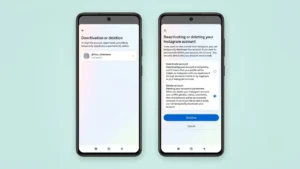
Instagram is a great platform for sharing photos, videos, and connecting with people. However, there may come a time when you want to take a break from social media or leave Instagram completely. In that situation, Instagram offers two different options: Deactivate Account and Delete Account.
Many users confuse these options, but they work very differently. Before making a decision, it’s important to understand what each option does and how it affects your account, photos, followers, and personal data.
Deactivate vs Delete Instagram Account: What’s the Difference?
The biggest difference is that deactivation is temporary, while deletion is permanent.
| Feature | Deactivate Account | Delete Account |
|---|---|---|
| Profile Visibility | Hidden temporarily | Permanently removed |
| Photos & Videos | Hidden | Deleted permanently |
| Followers | Preserved | Removed |
| Likes & Comments | Hidden | Deleted |
| Can Be Restored | Yes, by logging back in | No, after deletion is completed |
| Best For | Taking a break | Leaving Instagram permanently |
When Should You Deactivate Your Instagram Account?
Deactivating your account is the better choice if:
- You need a break from social media.
- You want to focus on studies or work.
- You are concerned about screen time.
- You may return to Instagram later.
- You don’t want to lose your photos, followers, or account history.
Your profile will disappear temporarily, but everything remains saved on Instagram’s servers.
When Should You Delete Your Instagram Account?
Deleting your account is suitable if:
- You no longer want to use Instagram.
- You want your profile removed permanently.
- You’re creating a fresh account and no longer need the old one.
- Privacy concerns make you want to leave the platform completely.
Once the deletion process is finalized, recovering the account is usually not possible.
What Happens When You Deactivate Instagram?
When you deactivate your Instagram account:
- Your profile becomes invisible to others.
- Your photos, reels, and videos are hidden.
- Comments and likes disappear temporarily.
- Followers cannot find your account.
- Direct messages generally remain visible in recipients’ inboxes.
- You can reactivate the account anytime by simply logging back in.
Think of deactivation as putting your Instagram account into sleep mode.
What Happens When You Delete Instagram Permanently?
When you permanently delete Instagram:
- Your profile is removed.
- Photos and videos are deleted.
- Followers and following lists disappear.
- Comments and likes are removed.
- Saved content is deleted.
- Account history is erased.
- Username may become unavailable or reusable depending on Instagram’s policies.
After Instagram completes the deletion process, your account cannot usually be recovered.
How to Temporarily Deactivate Your Instagram Account
Follow these steps:
- Open Instagram.
- Go to your Profile.
- Tap the Menu icon.
- Open Settings and Privacy.
- Select Accounts Center.
- Tap Personal Details.
- Select Account Ownership and Control.
- Tap Deactivation or Deletion.
- Choose your Instagram account.
- Select Deactivate Account.
- Confirm your choice.
Your account will immediately become hidden from other users.
How to Permanently Delete Your Instagram Account
To permanently remove your account:
- Open Instagram.
- Go to Settings and Privacy.
- Open Accounts Center.
- Select Personal Details.
- Tap Account Ownership and Control.
- Choose Deactivation or Deletion.
- Select your account.
- Tap Delete Account.
- Enter your password.
- Confirm the deletion request.
Instagram may ask why you’re leaving before processing the request.
Download Your Instagram Data Before Deleting
Before deleting your account, it’s a good idea to download a copy of your data.
This may include:
- Photos
- Videos
- Stories
- Messages
- Comments
- Account information
- Activity history
Steps to Download Your Data
- Open Instagram.
- Go to Settings and Privacy.
- Open Accounts Center.
- Select Your Information and Permissions.
- Tap Download Your Information.
- Request a copy of your data.
Instagram may take some time to prepare your download.
Can You Recover a Deleted Instagram Account?
Instagram generally provides a short grace period after you request deletion.
During this period:
- Your account is scheduled for deletion.
- Logging back in may cancel the request.
Once the deletion is completed, the account and its content are usually gone permanently.
Important Things to Know Before Deleting Instagram
Before deleting your account, consider the following:
- Save important photos and videos.
- Download your Instagram data.
- Inform important contacts if needed.
- Check any third-party apps linked to Instagram.
- Make sure you’re comfortable losing your followers and content permanently.
If you’re unsure, deactivation is usually the safer option.
Frequently Asked Questions
Is deactivating Instagram the same as deleting it?
No. Deactivation hides your account temporarily, while deletion permanently removes your account and content.
Will I lose my followers if I deactivate Instagram?
No. Your followers remain intact and will reappear when you reactivate your account.
Can people still send me messages if my account is deactivated?
Your profile is hidden, but previous conversations may still remain visible to other users.
How long can I keep my Instagram account deactivated?
Instagram does not currently impose a strict time limit for most users. You can reactivate it whenever you choose by logging back in.
Should I deactivate or delete Instagram?
If you’re taking a break, deactivate your account. If you’re certain you no longer want to use Instagram, delete it permanently.
Also read: How to Add Music to Snapchat Stories, Snaps, and Videos Easily
Final Thoughts
Instagram gives users full control over their accounts through both deactivation and permanent deletion options. Deactivation is ideal for anyone who wants a temporary break without losing photos, followers, or account history. Deletion, on the other hand, is designed for users who want to leave the platform permanently and remove their data.
Before making a decision, take a few minutes to download your data and understand the consequences of each option. In most cases, deactivation is the safer choice if you’re unsure whether you’ll return to Instagram in the future.
1 thought on “How to Delete Your Instagram Account Permanently (And When You Should Deactivate It Instead)”