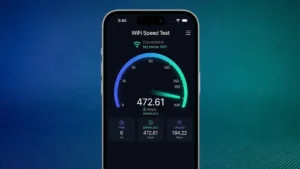
A slow internet connection can be frustrating, whether you’re watching movies, attending online meetings, gaming with friends, or simply browsing the web. Sometimes the problem isn’t your Wi-Fi router—it could be your internet service provider, network congestion, or even your device.
That’s why running a Wi-Fi speed test is one of the easiest ways to understand how well your internet connection is performing. In just a few seconds, you can check your download speed, upload speed, and ping to identify whether your connection is working as expected.
In this guide, we’ll explain how Wi-Fi speed tests work, what the results mean, and how you can improve your internet speed for a smoother online experience.
What Is a Wi-Fi Speed Test?
A Wi-Fi speed test is an online tool that measures the performance of your internet connection. It sends and receives small amounts of data between your device and a nearby server to calculate how fast your internet is.
Most speed tests provide three important results:
- Download Speed
- Upload Speed
- Ping (Latency)
These values help you understand whether your internet is suitable for activities like streaming, gaming, video calls, or large file downloads.
Why Should You Test Your Internet Speed?
There are several reasons why checking your Wi-Fi speed regularly is a good idea.
You can:
- Verify whether you’re getting the speed promised by your internet provider.
- Troubleshoot slow internet problems.
- Check if your router is performing properly.
- Test your connection before important video meetings.
- Compare Wi-Fi performance in different rooms of your home.
- Identify network congestion during peak hours.
A quick speed test often helps determine whether the issue is with your internet connection or something else.
Understanding Speed Test Results
Download Speed
Download speed measures how quickly your device receives data from the internet.
It affects:
- Video streaming
- Website loading
- App downloads
- Software updates
- Online gaming downloads
Higher download speeds generally provide a smoother online experience.
Upload Speed
Upload speed measures how fast your device sends data to the internet.
This is important for:
- Video conferencing
- Cloud backups
- Uploading videos
- Live streaming
- Sending large files
Content creators and remote workers often benefit from faster upload speeds.
Ping (Latency)
Ping measures how quickly your device communicates with a server.
Lower ping is better.
Low latency is especially important for:
- Online gaming
- Video calls
- Live streaming
- Voice chats
A high ping may cause delays, lag, or buffering.
How to Test Your Wi-Fi Speed
Running a speed test is simple.
Step 1
Connect your device to your Wi-Fi network.
Step 2
Close large downloads or streaming apps that may affect the results.
Step 3
Open a trusted internet speed testing website or app.
Step 4
Tap the Start or Go button.
Step 5
Wait a few seconds while the test measures your connection.
Once completed, you’ll see your download speed, upload speed, and ping.
Factors That Affect Wi-Fi Speed
Several factors can impact your internet performance.
Distance From the Router
The farther you are from the router, the weaker the Wi-Fi signal becomes.
Too Many Connected Devices
If multiple devices are streaming videos or downloading files simultaneously, your internet speed may decrease.
Router Quality
Older routers may not support modern high-speed internet connections.
Network Congestion
Internet speeds often slow down during busy hours when many people in your area are online.
Physical Obstacles
Walls, furniture, and appliances can weaken Wi-Fi signals.
Internet Plan
Your internet service plan ultimately determines the maximum speed you can receive.
Tips to Improve Wi-Fi Speed
If your speed test results are lower than expected, try these simple solutions.
Restart Your Router
Restarting your router can resolve temporary network issues.
Move Closer to the Router
A stronger signal often means faster internet.
Update Router Firmware
Keeping your router updated improves performance and security.
Use the 5GHz Wi-Fi Band
If your router supports dual-band Wi-Fi, switching to the 5GHz network can provide faster speeds with less interference.
Reduce Connected Devices
Disconnect devices that aren’t currently being used.
Place the Router in an Open Area
Avoid placing your router inside cabinets or behind furniture.
Upgrade Your Router
If you’re using an older router, upgrading to a newer Wi-Fi 6 or Wi-Fi 7 router may significantly improve performance.
What Is a Good Internet Speed?
The ideal speed depends on your usage.
Basic Browsing
10–25 Mbps is usually sufficient.
HD Video Streaming
Around 25 Mbps provides a smooth experience.
4K Streaming
At least 50 Mbps is recommended.
Online Gaming
Fast download speeds are helpful, but low ping is even more important.
Large Families
100 Mbps or more is generally recommended if several people are online simultaneously.
Mobile Data vs Wi-Fi Speed
You can also use speed tests while connected to mobile data.
Comparing Wi-Fi and mobile network performance helps you determine which connection is faster in your location.
Best Time to Run a Speed Test
For the most accurate results:
- Test during different times of the day.
- Avoid downloading files during testing.
- Disconnect unnecessary devices.
- Repeat the test multiple times.
Comparing multiple results gives you a better picture of your internet performance.
When Should You Contact Your Internet Provider?
Consider contacting your ISP if:
- Your speeds are consistently much lower than your subscribed plan.
- The connection frequently disconnects.
- Ping remains unusually high.
- Internet performance suddenly drops for several days.
Sharing your speed test results can help your provider diagnose the issue more quickly.
Final Thoughts
A Wi-Fi speed test is one of the simplest ways to check the health of your internet connection. Whether you’re streaming movies, attending online classes, gaming, or working remotely, knowing your download speed, upload speed, and ping can help you identify problems before they become major frustrations.
If your connection feels slow, running a quick speed test should always be your first step. Combined with good router placement, updated hardware, and a reliable internet plan, you can enjoy a faster, smoother, and more stable online experience every day.